Welcome back to part III of the Agentforce Service Superbadge Unit, Add Standard Topics. Let’s work together to help you complete the Agentforce Service Superbadge Unit on your way to become an Agentforce Agentblazer Innovator.
Here are links to Exercise I: https://howtoagentforce.com/2025/07/29/how-to-complete-the-agentforce-service-superbadge-unit-exercise-i-set-up-the-agent-and-einstein-data-library/
And Exercise II: https://howtoagentforce.com/2025/07/30/how-to-complete-the-agentforce-service-superbadge-unit-exercise-ii-create-the-booking-management-topic/
For the link to the Superbadge unit click here: https://trailhead.salesforce.com/content/learn/superbadges/superbadge-agentforce-service-sbu?trail_id=become-an-agentblazer-innovator
Step I: Add General FAQ Topic

(1) In Setup.
(2) Search for Agent.
(3) Click on Agentforce Agents.
(4) Select the Coral Cloud Experience Agent.

Click the Open in Builder button.
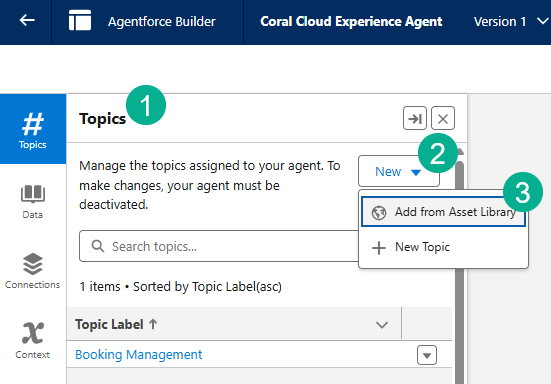
(1) Under Topics.
(2) Click on New.
(3) Select “Add from Asset Library”.
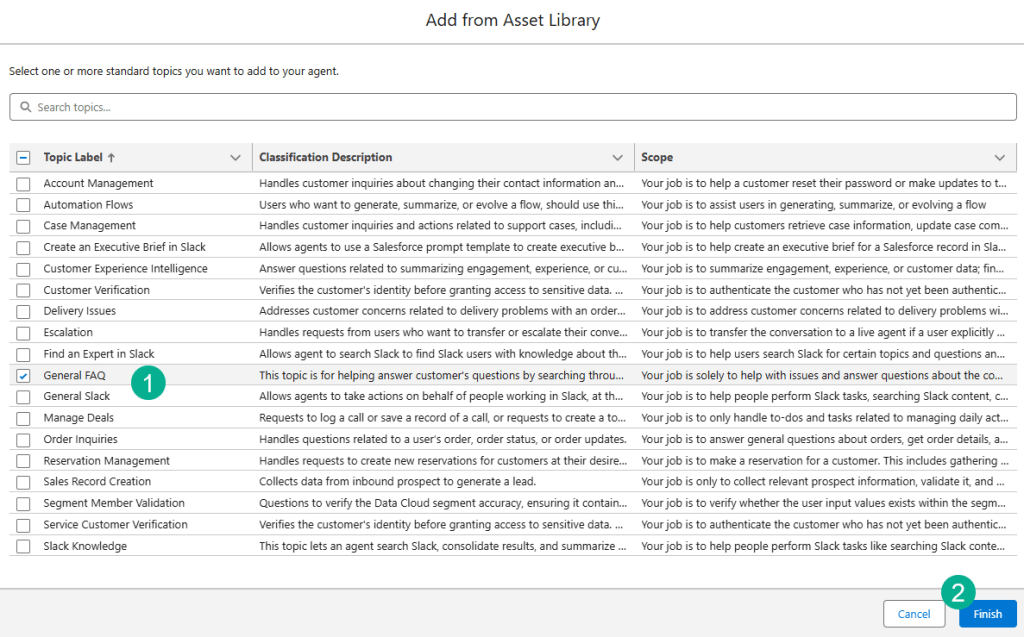
(1) Select the checkbox next to General FAQ.
(2) Select Finish.
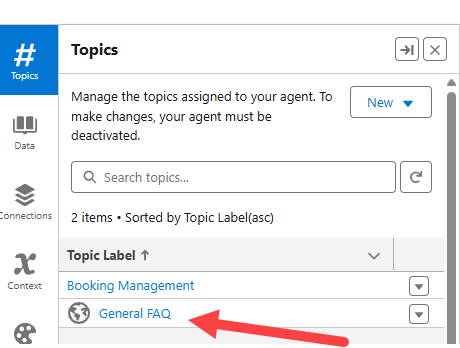
Click on the General FAQ Topic.
Step II: Create a version of the Topic to edit
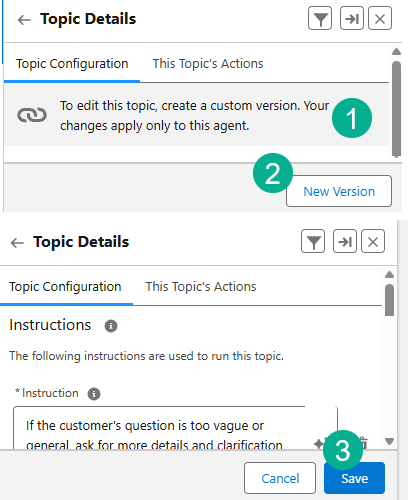
(1) Notice the message from Agentforce letting you know you have to create a custom version to edit the topic.
(2) At the bottom under Topic Configuration, click New Version.
(3) Click Save and you should be able to edit the Topic.
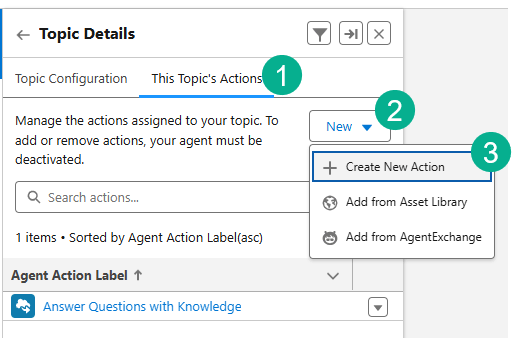
(1) Select the This Topic’s Actions tab.
(2) Select the New button.
(3) Select “Create New Action”.

(1) Select a Prompt Template.
(2) Select Film Festival Related Answers.
(3) Select Next.
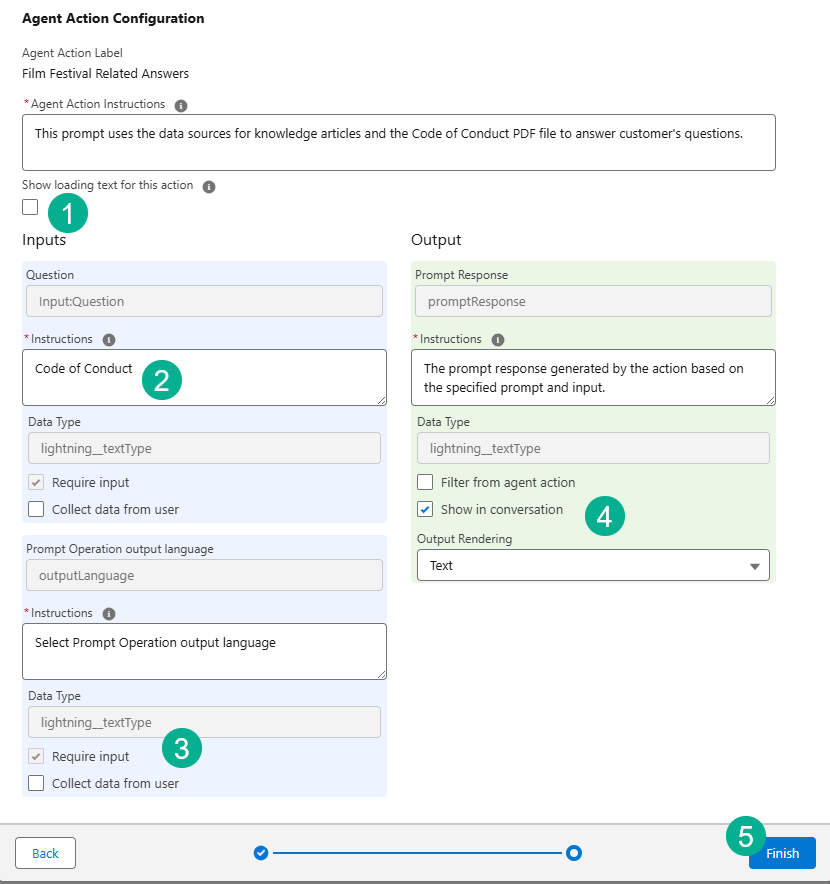
(1) Uncheck the Show Loading text box.
(2) Enter in “Code of Conduct”.
(3) Check the box “Require Input”.
(4) Check the box “Show in conversation”.
(5) Click Finish.
Step III: Add Escalation Topic
(1) Under Topics.
(2) Click on New.
(3) Select “Add from Asset Library”.

(1) Select the check box next to Escalation.
(2) Select Finish.
Step IV: Update the Film_Festival_Related_Answers Prompt
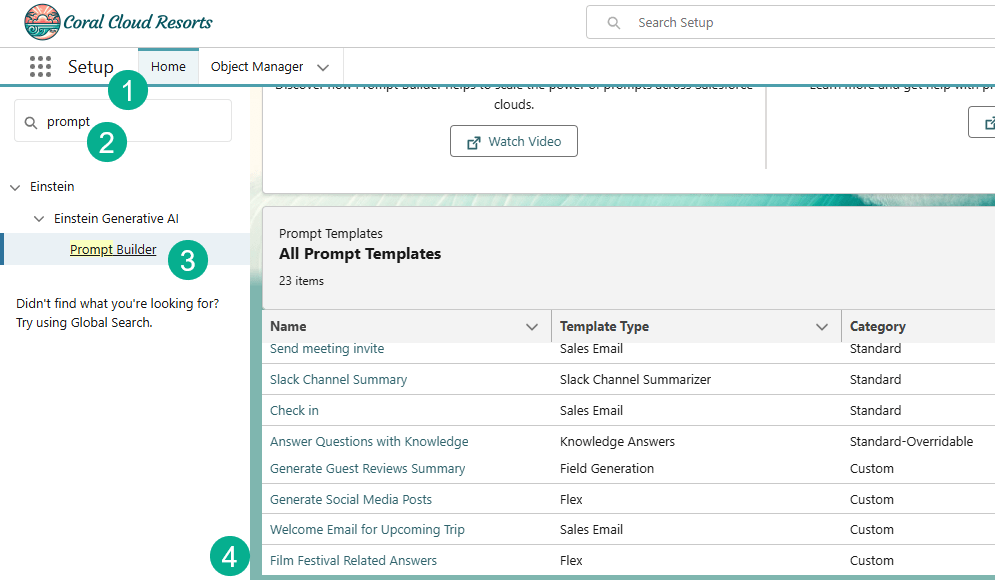
(1) In Setup.
(2) Search for Prompt.
(3) Select Prompt Builder.
(4) Select the “Film Festival Related Answers” prompt.

Move your cursor right before [Input the customer’s question].
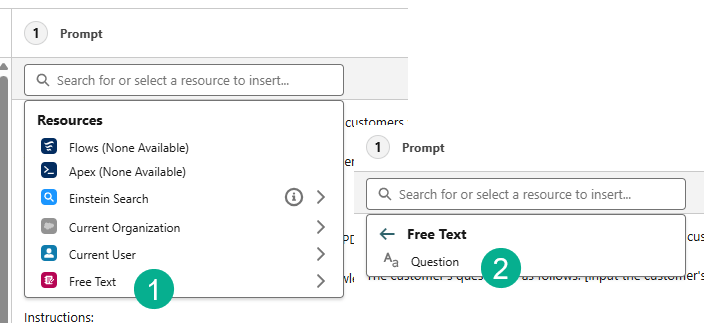
(1) Click on Insert Resource and select Free Text.
(2) Select Question.

Place your cursor right before [Retriever for the Code of Conduct PDF file].
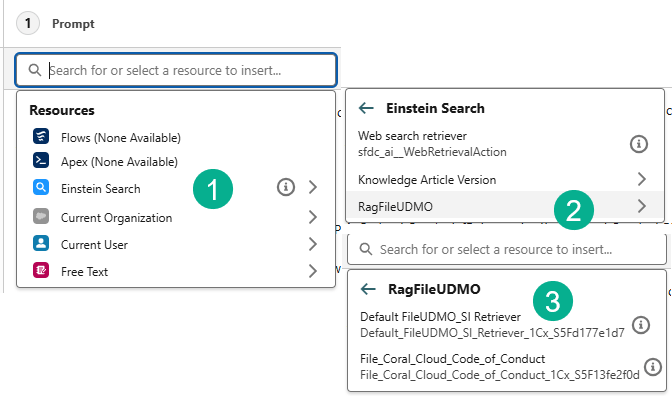
(1) Select Insert Resource and select Einstein Search.
(2) RagFileDMO.
(3) And the Default FileUDMO_Si Retriever.

Place your cursor right before [Retriever for Knowledge Articles].

(1) Select the Insert Resource and select the Einstein Search.
(2) Knowledge Article Version.
(3) And KA_Coral_Cloud_Experience_Agent_Library.
Your final prompt should look like the following:

Step V: Update Search Text
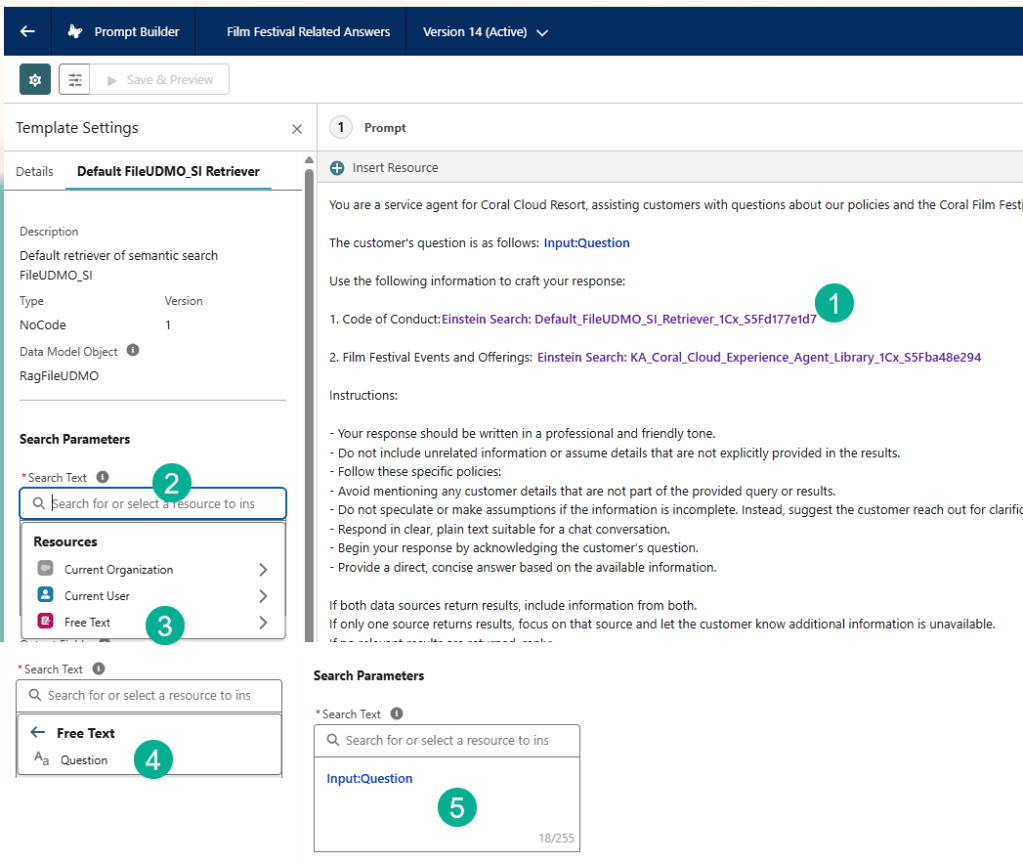
(1) Click on the Code of Conduct resource.
(2) Click on the Search Text.
(3) Select Free Text.
(4) Select Question.
(5) You should see this syntax in the box.
Repeat the same process for the Film Festival Events and Offerings resource.

Click Save As to create a new version.

Activate the prompt.
Step VI: Test the Agent
Activate the agent and…
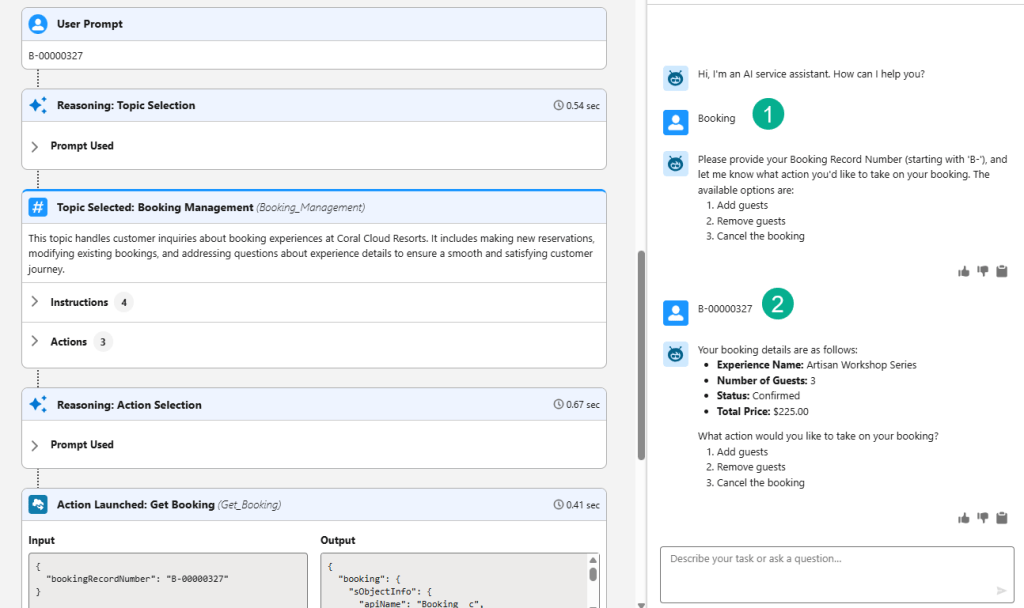
(1) Type in Booking.
(2) Enter in a booking number by searching for Bookings in the 9 dots.
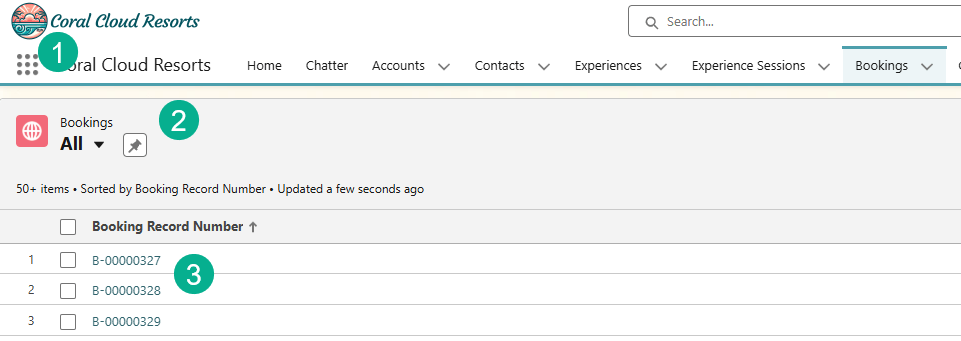
The Agent is ready for the next challenge. Let’s verify that challenge #3 is completed.

Click on Check Challenge.

Congrats you have completed Challenge #3 now all that’s left is #4 which we will cover in our next blog.
Interested in building a Proof of Concept of an Agent, we can help. Sign up for a free discovery session to build your first Agent. https://howtoagentforce.com/agentforce-agent-poc/
 Let's learn AgentForce Together!