Are you ready for the last challenge of the Prompt Builder Templates SuperBadge Unit?
This blog post will cover Exercise III: Create a Prompt Template for an Engagement Email
For exercise I please review our prior blog: https://howtoagentforce.com/2025/07/13/how-to-finish-exercise-i-of-the-prompt-builder-templates-superbadge-unit-agentblazer-innovator-challenge/
For exercise II please review our prior blog:
https://howtoagentforce.com/2025/07/19/how-to-finish-exercise-ii-of-the-prompt-builder-templates-superbadge-unit-agentblazer-innovator-challenge/
Here’s the link to the Agentblazer Innovator Challenge: https://trailhead.salesforce.com/content/learn/trails/become-an-agentblazer-innovator?utm_source=trailhead&utm_medium=email&utm_campaign=thmktgchallenge
And here’s the link to the Prompt Builder Templates Superbadge Unit: https://trailhead.salesforce.com/content/learn/superbadges/superbadge_prompt_builder_templates_sbu?trail_id=become-an-agentblazer-innovator
Step I: Turn on Einstein for Sales

(1) In Setup.
(2) Search for “einstein for sales”.
(3) Click on the result.
(4) Turn on Sales Emails. This will take time so be prepared for it to take a few minutes to activate.
Use Case
In our last exercise in this SuperBadge we want to create an AI generated email template that the team can use to send personalized messages to wellness customers.
Step II: Create a Prompt
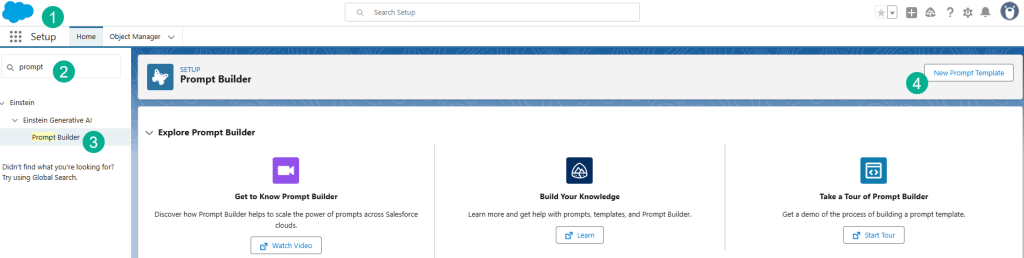
(1) In Setup.
(2) Search for Prompt.
(3) Select Prompt Builder.
(4) Select New Prompt Template.

(1) Select Sales Email template.
(2) Paste in the name: Program Recommendation Email.
(3) Paste in the name in the description.
(4) Recipient will be Contact and no need for a related object.
(5) Select Next.
Step III: Copy and Edit Prompt

Copy the sample prompt provided by Salesforce.

And paste the prompt into the template. Now we’ll be inserting resources in the Prompt.
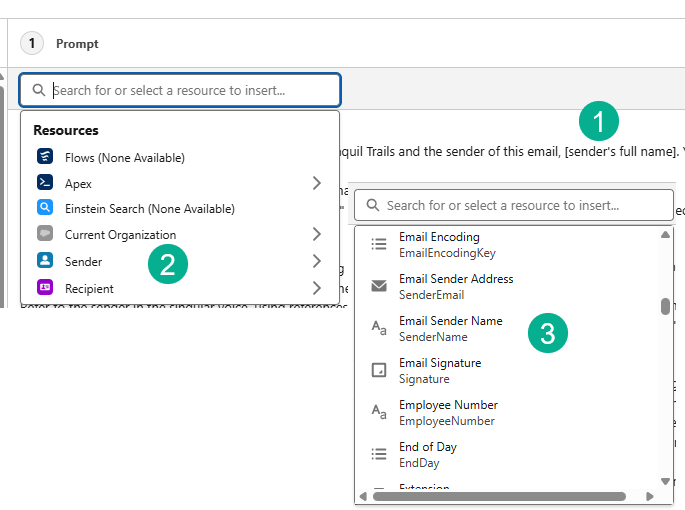
(1) First we’ll start with the Sender’s Full Name.
(2) Click on Insert Resource and select the Sender object.
(3) Scroll down to and select Email Sender Address.

(1) For the Recipient’s Full Name.
(2) Click on Insert Resource and select the Recipient Object.
(3) And scroll to Full Name and select it.

(1) For the Insert the Related list variable.
(2) Select Insert Resource and click on the Recipient object.
(3) Scroll down and select the Fitness related list.
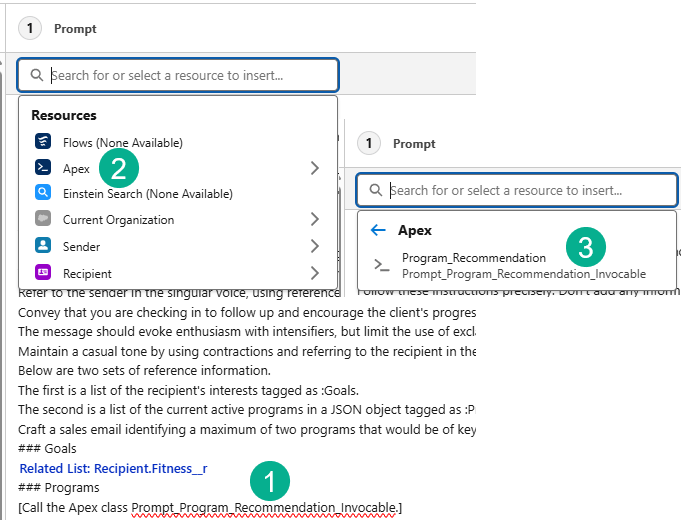
(1) For the last value “Call the Apex class…”.
(2) Select Insert Resource and Select Apex.
(3) The Program_Recommendation Apex should come up as an option and select it.
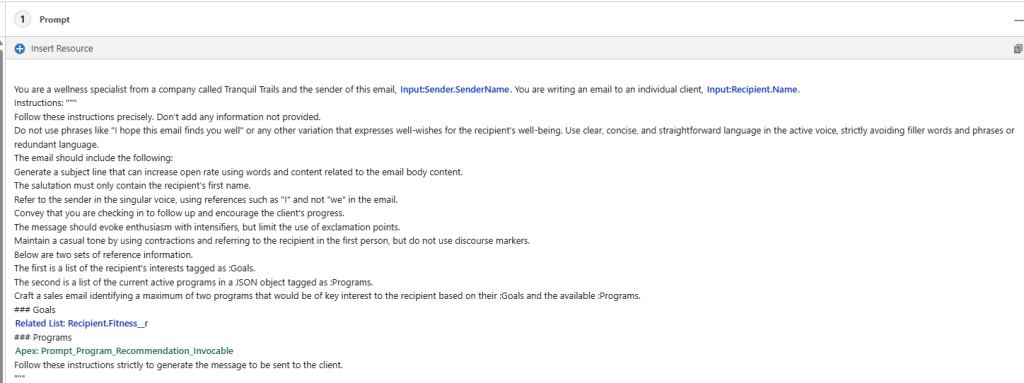
When completed your prompt should look like this:
Step IV: Test the Prompt
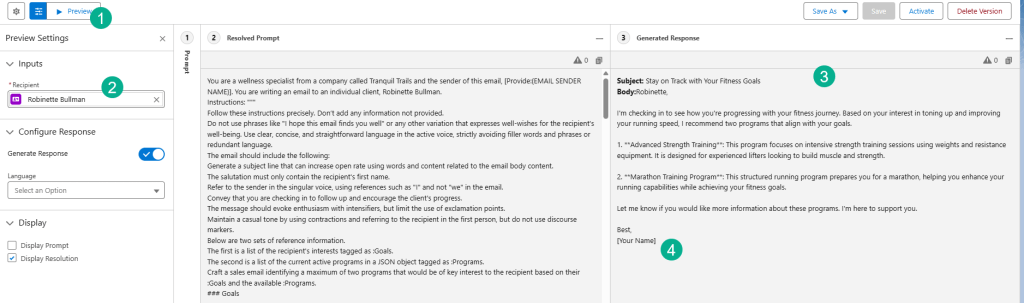
(1) Click on the Preview Button.
(2) Enter in Robinette Bullman as a contact to test
(3) Review the sample email in the prompt.
(4) You’ll notice the Your Name is still blank here, but it should be populated when we test in Salesforce.
Activate the prompt and then we’ll switch to Sales Cloud to test the functionality.
Step V: Test sending an email in Sales Cloud
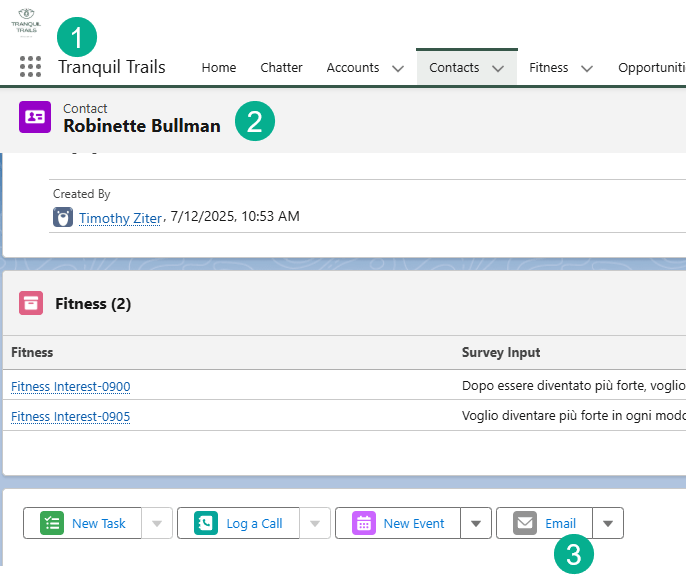
(1) Navigate back to the Sales Cloud App.
(2) Find the Robinette contact.
(3) Click on the Email icon.

An email popup will appear. Click on Draft with Einstein.
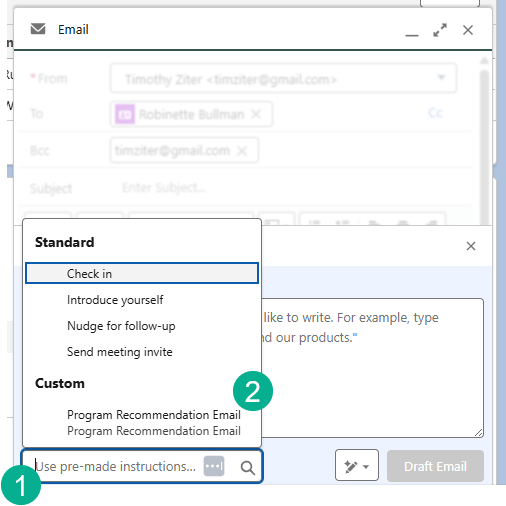
(1) Click on the “Use pre-made instructions” box.
(2) Select Program Recommendation Email.
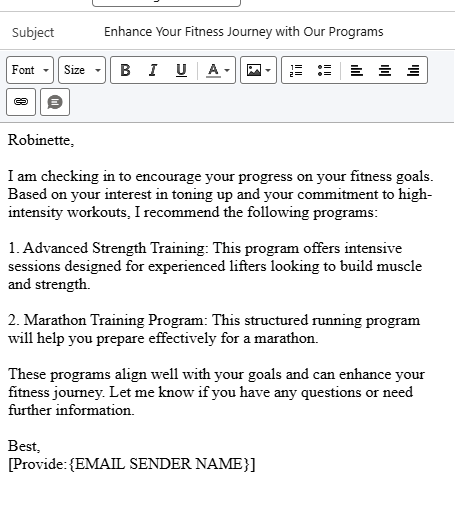
An email renders. But the signature doesn’t look correct. And when you check the email sent to the contact you get the following:

Let’s modify the prompt to include the Senders name.

Adding in the sender name Insert Resource.
Let’s try sending another email and we should see a better result.
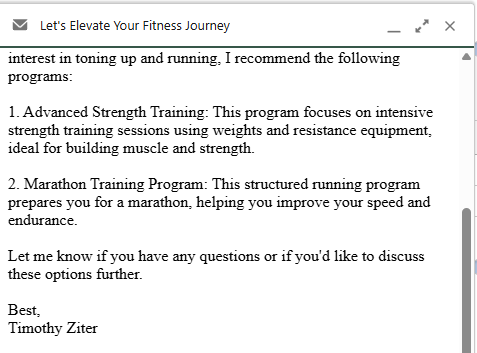
Let’s check to see if we’ve completed the challenge.

Step VI: Assigning Permissions for Victoria
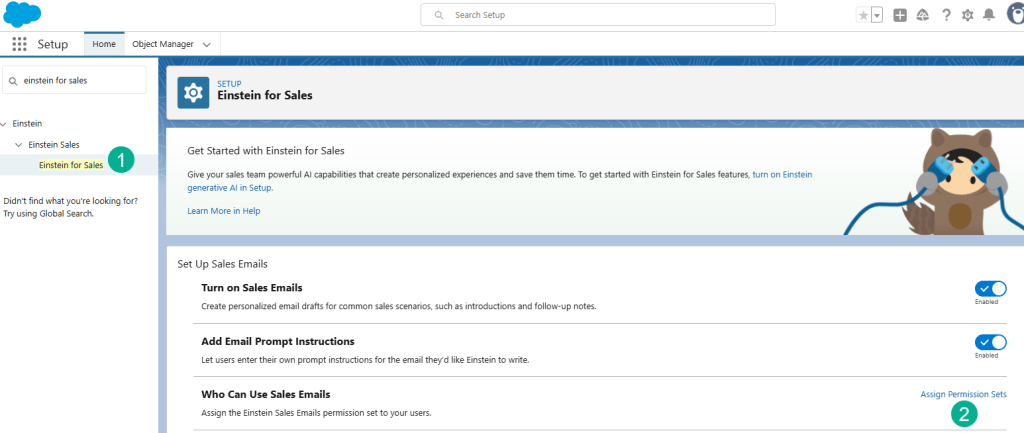
(1) In Setup navigate back to Einstein for Sales.
(2) Click on Assign Permission Sets.
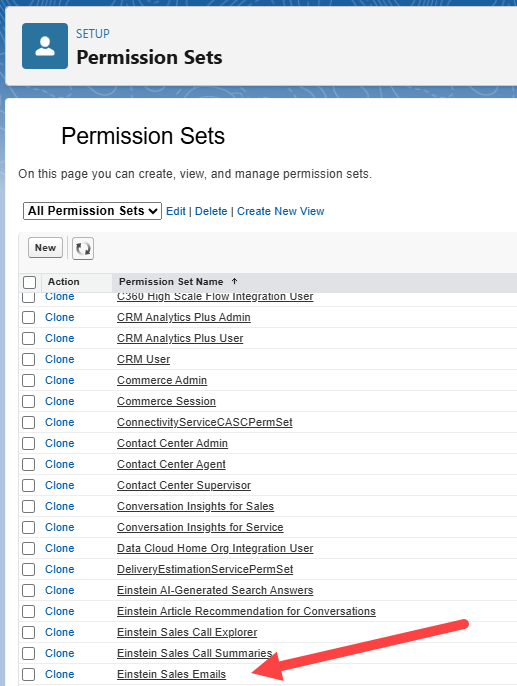
Click on Einstein Sales Emails.
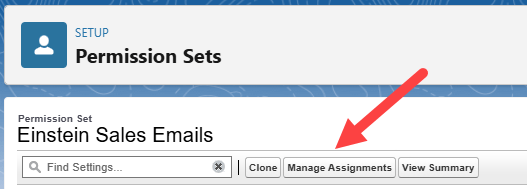
Click on Manage Assignments.

Select Add Assignment.

(1) Select the box next to Victoria Bryant.
(2) Select Next.

Click Assign.
Let’s try checking the challenge one more time.


And woohoo! SuperBadge Unit complete!
We’re off to the next step in the Innovator Challenge. Look for our next Blog post on the next project or SuperBadge.
Interested in building a Proof of Concept of an Agent, we can help. Sign up for a free discovery session to build your first Agent. https://howtoagentforce.com/agentforce-agent-poc/
 Let's learn AgentForce Together!